

How To Change Windows Xp Password Without Logging In

There is a broad variety of operating systems, simply Microsoft Os Covers more than than seventy% of the Bone market place. Windows XP was launched as a part of NT family estimator systems. XP was launched on 24 Aug 2001, with a broad range of new features and functionality such as IPv4 support, more stability, enhanced GUI, improved imaging features such as Windows Motion picture and Fax preview, enhanced image and thumbnail caching in Explorer. It can run smoothly over a auto with 128 MB RAM on the other manus Windows 7 requires at least 700MB RAM for smoothen functioning.
- Method one: XP Hidden Administrator Account
- Method 2: Through Rubber Mode
- Method 3: Using windows XP-bootable Disc
- Method four: Using Regedit
- Method 5: Using Regedit again
Windows XP was released in two major editions, Home Edition and Professional Edition. Passwords human action as a cardinal that opens the door of sensitive data and user information. So many people have ready passwords for their computers.
SAM, Security Accounts Manager, contains all the password of accounts in encrypted grade. These files cannot be decrypted as they accept one-fashion encryption simply they can be accessed offline to reset the passwords. The net user control is used to add together, remove, and make changes to the user accounts on a computer, all from the Control Prompt and we'll utilize this command to alter the system's accounts countersign.
But What if we just forget the passwords? So, below are 8 ways starting from easy to moderate level to crack or reset the Windows XP administrator password.
Method i: XP Hidden Administrator Account
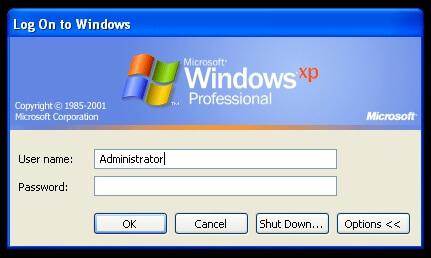
i. Windows XP comes with a hidden Administrator account which can be accessed by following ways and then that the lost password of other admin accounts tin can exist changed from this default Administrator Account. On the Windows XP login screen panel, hit Ctrl+Alt+Del twice subsequently that a login console will pop upwardly. Just enter the user name as Administrator and hit enter.
2. While you are logged in as admin and you need to change whatever user account passwords just become to theRun window and blazoncmd.Now enternet user and then hitting enter. It volition testify all users on this machine.
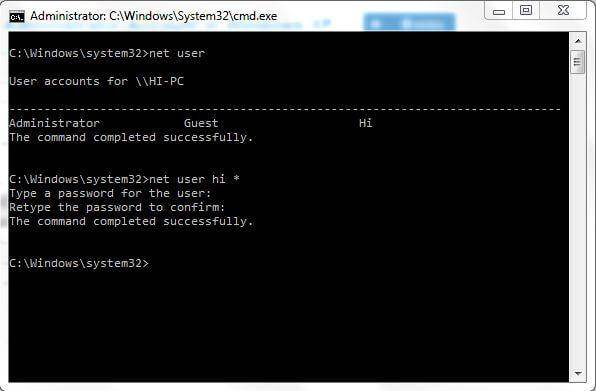
3. Now enternet user [account_name] *
Eg: internet user hullo *
It will inquire for a new password, and and so y'all can enter a new one equally your wish. From the adjacent login, you will have to enter this password for the corresponding account.
Method 2: Through Prophylactic Way
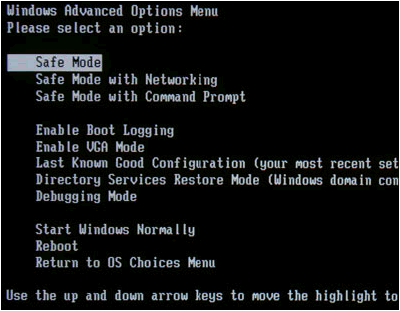
Restart the system printing the F8 key to boot in prophylactic manner from there log in Administrator Account without a password. This is an easy fashion and mostly works if the default hidden ambassador is not changed.
Method 3: Using windows XP-bootable Disc
1. Select Kicking from CD option from BIOS menu and insert a bootable disc, simply press whatever key when prompted like "Press whatsoever central to boot from CD".Follow the Setup procedures and accept the license agreement past hitting F8.
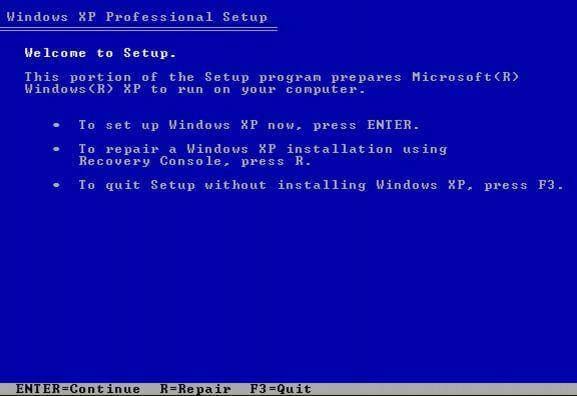
two. Apply arrow keys to select XP installation (if yous simply take i, it should already exist selected) and printing R to begin the Repair process. After successful completion of repair windows will restart and again volition display "Printing whatever central to boot from CD".
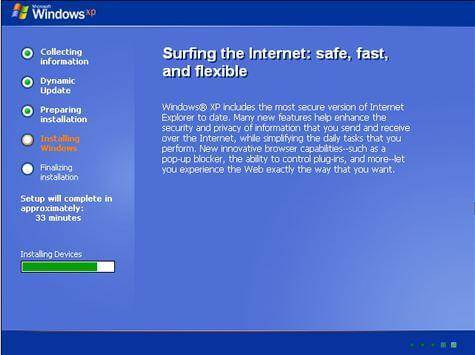
iii. But don't do anything, and information technology volition kick automatically now when you come across Installing Device Bar in the lower left bottom corner. Press Shift+F10 this volition open the console now.
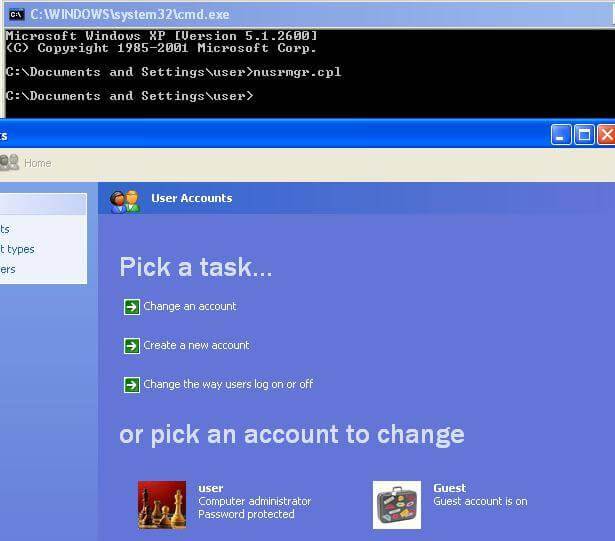
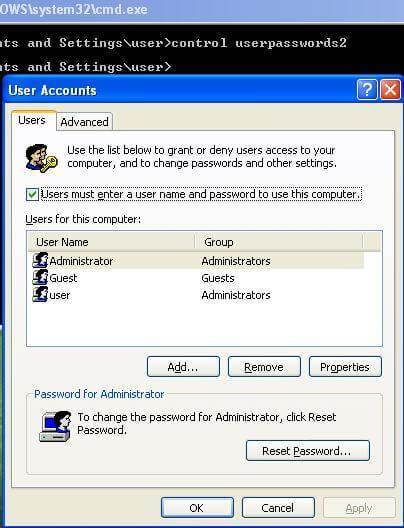
4. Write commandnusrmgr.cpl. To edit passwords or remove them, you can besides type Change userpasswords2 in the console to add a new user with any password. Now log in with new credentials later on the repair procedure completes successfully.
Method iv: Using Regedit
1. Once you get the console blazon Regedit.
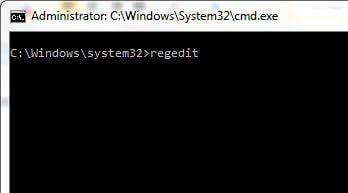
2. This will open the registry menu now navigate to HKEY_LOCAL_MACHINESOFTWAREMicrosoftWindows NTCurrentVersionWinlogonSpecialAccountsUserList in the Registry Editor.

3. At present double click Administrator option in the right panel. Just if information technology is not there and so exercise right-click in the correct-side console and select a new Dword and proper noun it as Ambassador and hit enter. Then do a double click on the newly created selection and enter the value to 1 and press Ok.
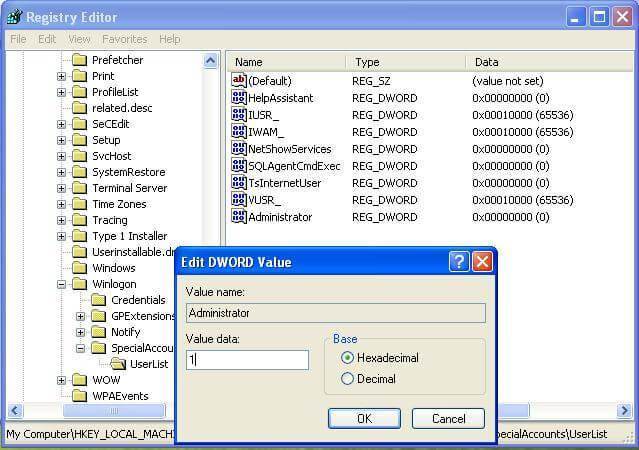
4. Now restart the window you will encounter a new Administrator user login without a countersign and brand it to change the password of the lost account.

Method 5: Using Regedit once more
1. One time y'all get the panel type "Regedit" (control for opening Registry) and press Enter. From now on nosotros take to be extra careful as one mistake might degrade our operating Arrangement and brand information technology unusable. On the left side of the Registry Editor click "HKEY_LOCAL_MACHINE" so in the File menu click "Load Hive".
2. Now Browse for the Following path: Windows Bone drive[c]:windowssystem32configSAM
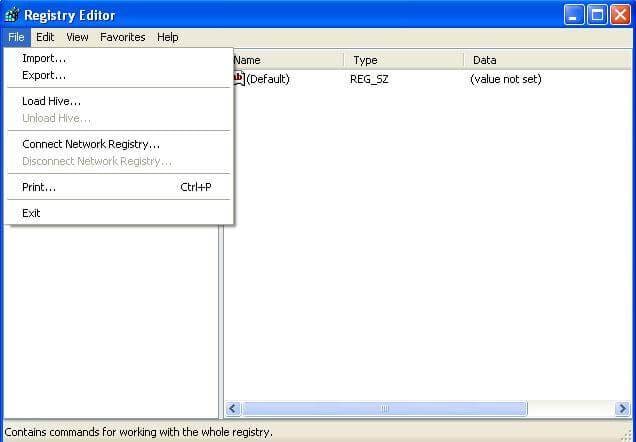
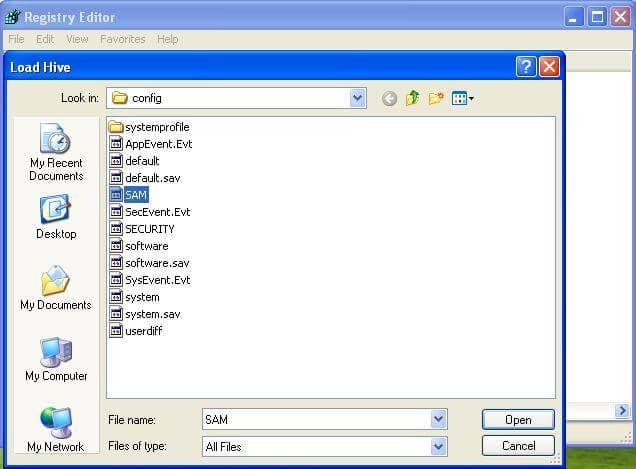
Note: This SAM file stands For the Security Accounts Manager, which is responsible for managing all credentials of arrangement accounts so it contains encrypted information about the account names and passwords.
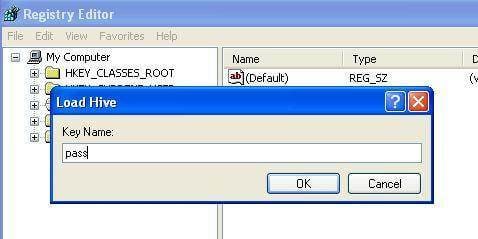
3. After loading the Hive, information technology will ask for a name, type anything you can remember. In my instance, I volition give the proper name "pass". So at present the SAM file is loaded into the registry for editing.
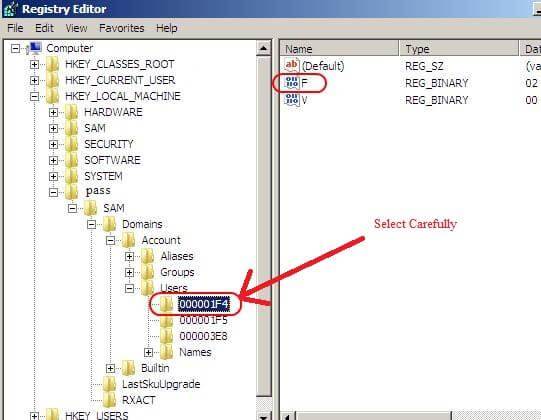
iv. Now go to the post-obit directory "HKEY_LOCAL_MACHINE estSAMDomainsAccountUsers". Click on "000001F4" and from the right-side panel double-click the "F" entry.
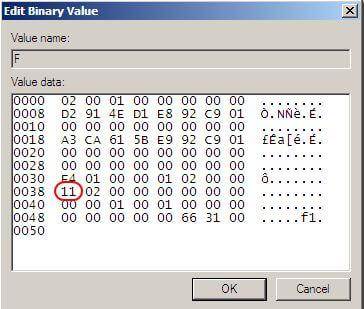
five. A new window will open and yous can edit the "F" entry. The line that starts with "0038" is what you want to edit. The value next to "0038" is "11", supersede it with "10". Be careful not to change anything else. Just double click the "11" and blazon "10" then hit the OK button. "11" is for disabled and "10" for enabled.
half-dozen. Back in the Registry Editor, from the left side click on the proper name you gave to the hive you loaded earlier and click "Unload Hive" from the file menu, restart the computer, and you lot are washed. The Administrator business relationship is now enabled.
Other popular Articles From Wondershare
Source: https://recoverit.wondershare.com/computer-problems/windows-xp-password-cracker.html
Posted by: boydbegrold.blogspot.com
0 Response to "How To Change Windows Xp Password Without Logging In"
Post a Comment